Finding cheap RDP Windows is no longer just about price — it’s about stability, security, and real performance. Many users searching for the cheapest RDP end up with suspended servers, blacklisted IPs, or unusable resources. As a server administrator managing enterprise-grade virtualization stacks, I’ve seen firsthand how risky “too cheap” RDP solutions can destroy productivity.
Whether you’re running automation tools, Forex platforms, surveys, or administrative workloads, buying RDP cheap without risk requires understanding how the infrastructure works behind the scenes. Cheap does not have to mean unreliable — if you know what to look for.
This guide explains what cheap RDP Windows actually means, how to avoid unsafe providers, and how modern platforms like DigiRDP deliver discount RDP plans without compromising uptime, bandwidth, or compliance. If you want performance that meets modern hosting standards, this article will help you choose the right solution.
What Is Cheap RDP Windows?
Cheap RDP Windows is a remote Windows server offered at a lower price point than traditional VPS or dedicated servers. These servers allow users to access a Windows desktop remotely, 24/7, from anywhere in the world.
However, not all cheap RDP services are equal.
From a backend infrastructure perspective, legitimate cheap RDP providers rely on:
-
Licensed Windows Server 2019/2022
-
KVM or Hyper-V virtualization
-
SSD or NVMe 4.0 storage
-
Dedicated resource allocation
-
Clean IPv4 addresses
Unsafe providers often use cracked Windows builds, recycled IPs, or overloaded nodes, which can lead to frequent bans, unstable sessions, and unexpected downtime.
Modern cheap RDP Windows environments must meet baseline performance standards to remain usable—especially for automation, trading, survey work, or administrative tasks.
How to Buy RDP Cheap Safely
Buying RDP cheap safely is about risk mitigation, not just pricing.
1. Check Virtualization Type
Avoid OpenVZ or container-based RDP environments.
Instead, look for:
Providers like DigiRDP deploy enterprise-grade virtualization designed to prevent noisy neighbor issues and resource throttling.
2. Verify Hardware Specifications
A reliable cheap RDP provider should clearly disclose real hardware specifications, such as:
-
CPU: AMD Ryzen 9 7950X or EPYC 7003 Series
-
Storage: NVMe 4.0 SSD
-
RAM: Guaranteed allocation (not “up to”)
-
Network: Minimum 1Gbps port speed
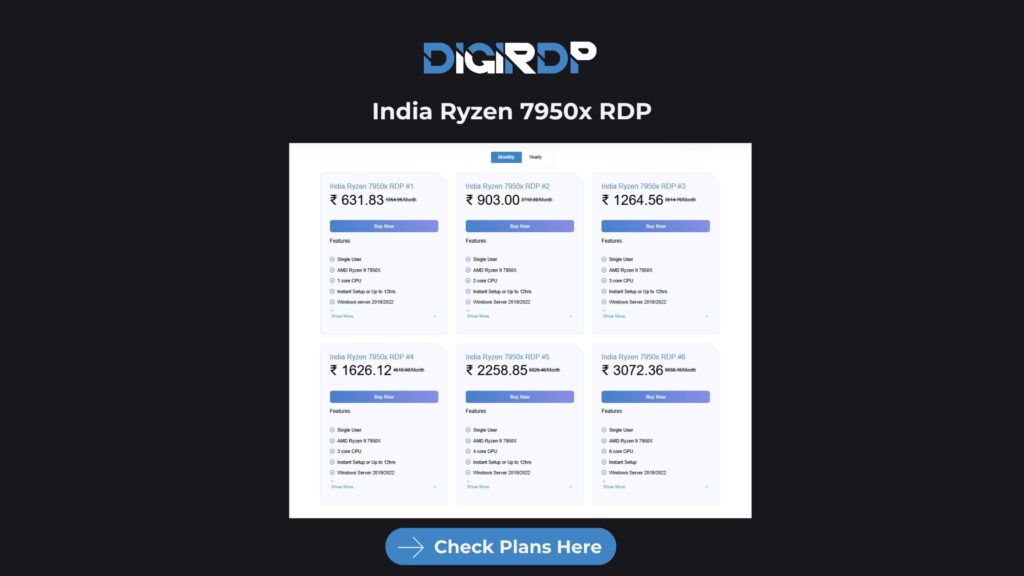
High-performance workloads or multi-tab automation environments benefit significantly from Ryzen-powered infrastructure, such as India Ryzen 7950X RDP plans that provide stronger single-core performance and consistent system responsiveness.
3. IP Reputation Matters
Cheap RDP services with abused or previously flagged IP addresses often get blocked quickly by websites and platforms.
Reliable providers typically:
This is especially important for users running survey platforms, account management systems, and advertising dashboards, where IP reputation directly affects account stability.
4. Avoid “Free RDP” Traps
Free RDP services may seem attractive, but they usually come with serious risks.
Free RDP servers are often:
If privacy, stability, or uptime matters, relying on free RDP environments for production workloads is not recommended.
Cheapest RDP Providers Compared
Below is a realistic comparison from a server administration perspective:
| Feature |
DigiRDP |
Generic Cheap RDP |
| Windows License |
Genuine |
Often Cracked |
| Storage |
NVMe 4.0 |
HDD / SATA SSD |
| CPU |
Ryzen / EPYC |
Unknown |
| Bandwidth |
1Gbps+ |
Throttled |
| Uptime |
99.9% |
Unstable |
| Support |
Admin-level |
Ticket Only |
| IP Quality |
Clean |
Frequently Blacklisted |
The cheapest RDP is not necessarily the one with the lowest price—it’s the one that remains stable and reliable when you actually need it.
Discount RDP vs Free RDP
Discount RDP
Free RDP
-
Shared resources
-
Security risks
-
Frequent disconnections
-
High ban rates
From an infrastructure perspective, discount RDP plans are optimized through node density balancing, allowing providers to reduce costs while maintaining consistent performance.
Use Cases for Cheap Windows RDP
1. Forex Trading (MT4/MT5)
Low-latency trading environments require:
Oversold RDP servers can introduce lag and execution delays, which may impact trading efficiency.
2. Survey & Automation Work
Cheap Windows RDP environments are commonly used for:
For these tasks, clean IP reputation and stable sessions are essential.
3. Streaming & Encoding Tasks
For video-based workloads, it is recommended to use servers optimized for media processing, such as:
These environments are configured to handle higher bandwidth usage and continuous processing tasks.
4. Admin & Remote Work
System administrators and remote teams often use cheap RDP servers for:
-
Monitoring dashboards
-
Backup verification
-
Remote task execution
A stable remote desktop environment allows admins to manage infrastructure efficiently from anywhere.
Modern Standards for Cheap RDP Windows
A professional cheap RDP Windows environment should include:
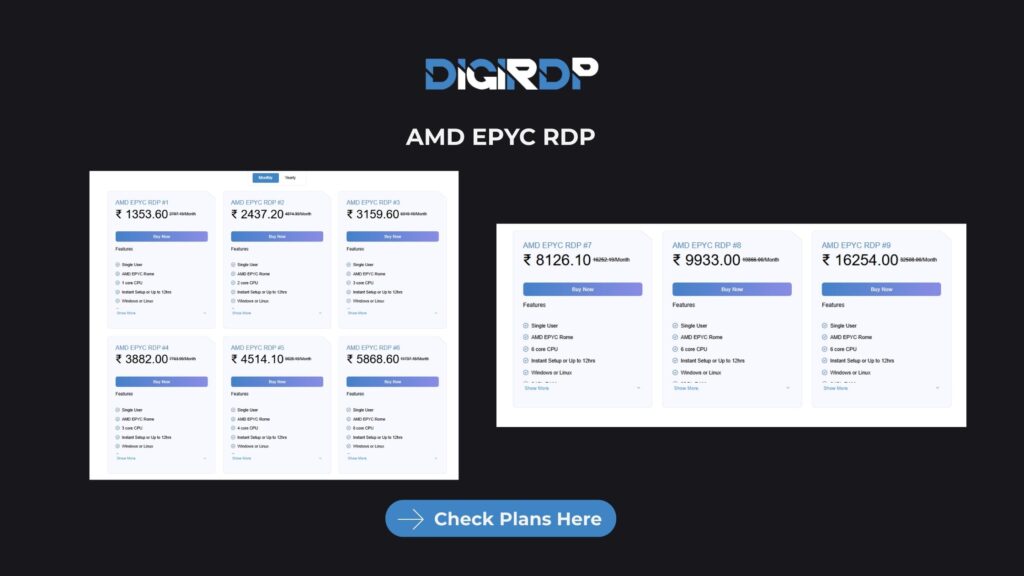
Many enterprise providers now deploy high-core infrastructure clusters, including environments powered by AMD EPYC RDP, delivering stronger multi-thread performance and improved reliability for demanding workloads.
Conclusion
Choosing cheap RDP Windows is no longer just about finding the lowest price—it’s about selecting a service that balances affordability with reliability, security, and modern infrastructure standards. As this guide explained, buying RDP cheap without risk requires understanding how the server infrastructure is built, how resources are allocated, and whether the provider follows proper licensing and networking practices. Cheap RDP can effectively support real workloads such as Forex trading, automation, surveys, and remote administration when it is backed by clean IP addresses, NVMe storage, stable virtualization, and consistent uptime.
This is where DigiRDP focuses its approach. By providing properly licensed Windows servers, NVMe-based storage, reliable virtualization technologies, and clean IP infrastructure, DigiRDP delivers affordable RDP solutions without compromising stability or performance. The key takeaway is simple: a trustworthy cheap RDP should reduce costs without sacrificing reliability. With transparent hardware specifications, professional server management, and consistent uptime, DigiRDP’s Windows RDP solutions offer a practical and scalable environment for users who need dependable remote desktop performance.
No, spamming is not allowed on our RDP plans. If we detect any spamming activities on your account, we will immediately suspend or terminate your RDP access without any prior notice. Spamming refers to the indiscriminate sending of unsolicited or unwanted emails or messages, often for commercial or advertising purposes. It is a violation of our terms of service and can result in severe consequences for the perpetrator. Therefore, we strongly recommend that you refrain from engaging in any spamming activities on our RDP servers.