




On this page
Remote desktop hosting continues to grow as businesses and professionals move toward cloud-based workflows. Among global locations, Canada has become a popular choice due to its reliable infrastructure, privacy standards, and strong connectivity. This has increased demand for users looking to buy Canada RDP for secure and stable remote access.
Whether you need a Canada RDP server for automation, development, or business use, choosing the right hosting setup is essential for performance and long-term reliability. This guide explains everything you need to know before purchasing Canada RDP in 2026.
What is Canada RDP?
Canada RDP refers to a Windows remote desktop environment hosted on servers located in Canada. It allows users to connect remotely and operate a Windows system from anywhere using Remote Desktop Protocol.
A Canada RDP server provides persistent access, allowing users to run applications, store files, and perform tasks without relying on local hardware. This makes it ideal for professionals who need reliable remote access.
Why Buy Canada RDP in 2026?
Canada continues to be a strong hosting location due to privacy-friendly regulations and stable network infrastructure. Many global users prefer Canada servers because they provide good connectivity to North America and Europe.
In 2026, businesses and individuals rely more on cloud-based tools, automation, and remote work environments. Buying Canada RDP ensures consistent uptime, secure connections, and access to modern server infrastructure.
Providers like DigiRDP offer Canada-based RDP hosting built for performance stability, scalability, and professional workloads.
Types of Canada RDP Servers Available
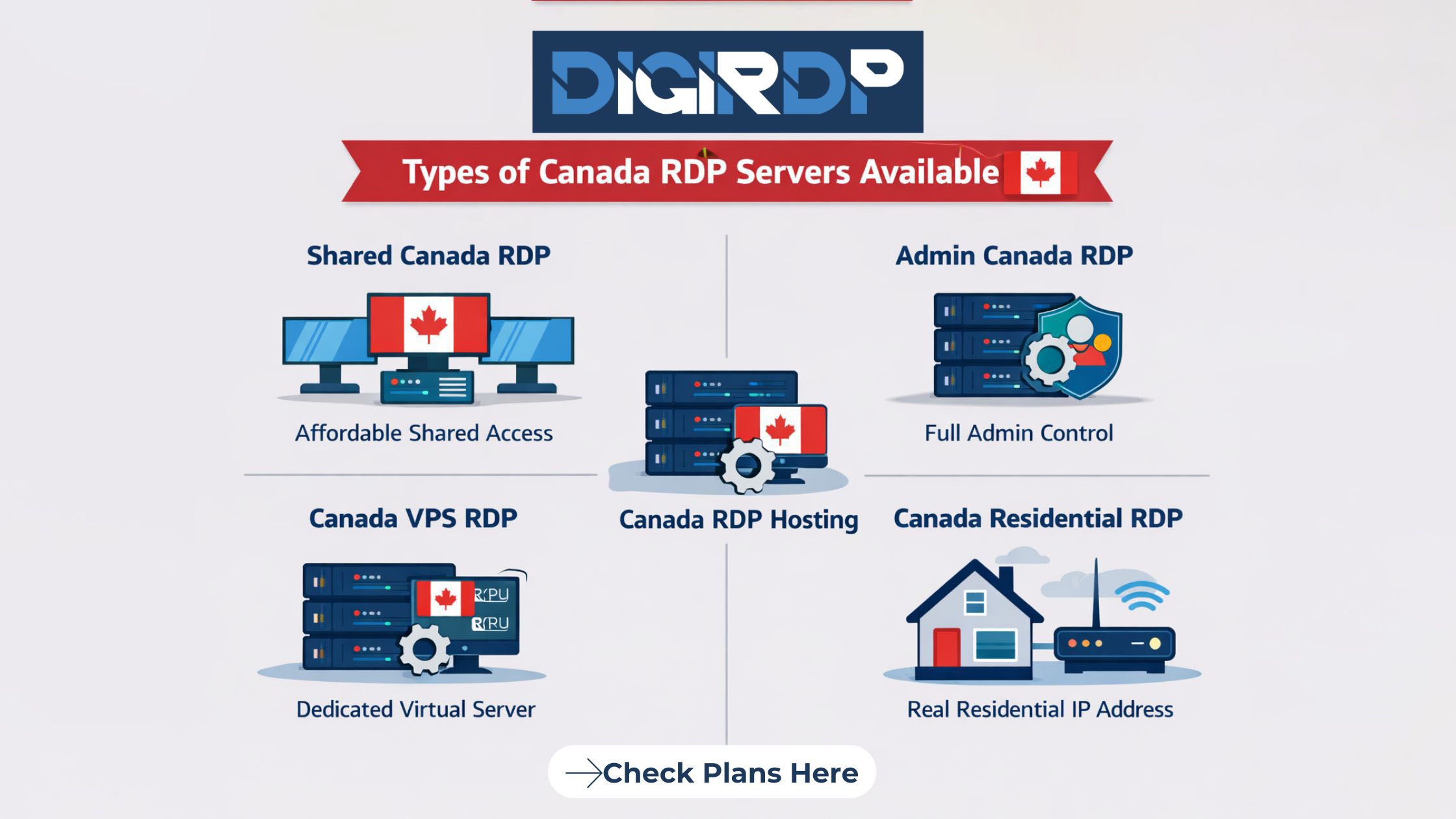
There are several types of Canada RDP hosting depending on usage needs.
-
Shared Canada RDP – Cost-effective option for light tasks
-
Admin Canada RDP – Full control and software installation
-
Canada VPS RDP – Dedicated virtual resources
-
Canada residential RDP – Uses residential IP for compatibility
-
Managed RDP hosting – Provider handles maintenance
Choosing the right type depends on workload and performance requirements.
Cheap Canada RDP vs Premium – What’s the Difference?
| Feature | Cheap Canada RDP | Premium Canada RDP |
|---|---|---|
| Price | Low cost | Higher cost |
| Resources | Limited | Dedicated resources |
| Performance | Suitable for light tasks | Stable for heavy workloads |
| Security | Basic | Advanced protection |
| Support | Limited | Priority support |
Cheap Canada RDP works for testing and basic use. Premium plans provide better stability and performance for business use.
Key Features to Look for Before You Buy Canada RDP
Before choosing a provider, consider these features:
-
High uptime guarantee
-
SSD or NVMe storage
-
Secure login authentication
-
Admin access options
-
Reliable network speed
-
24/7 technical support
These features ensure stable and secure Canada RDP hosting.
Best Use Cases for Canada RDP (Comparison)
| Use Case | Why Canada RDP Works |
|---|---|
| Software testing | Stable remote environment |
| Automation tasks | 24/7 uptime |
| Business tools | Secure remote access |
| Trading platforms | Low latency |
| Agencies | Centralized workflow management |
Canada RDP is suitable for both personal and professional workflows.
How to Buy Canada RDP (Step-by-Step Guide)
-
Choose a trusted RDP hosting provider
-
Select the required server configuration
-
Complete purchase and payment
-
Receive login credentials
-
Connect using Remote Desktop client
DigiRDP offers easy deployment and scalable Canada RDP hosting solutions.
Setting up a Canada RDP connection is simple and usually takes only a few minutes once you receive your server IP address, username, and password from your provider. Below is a detailed step-by-step guide for both Windows and Mac users.
Canada Admin RDP Plans
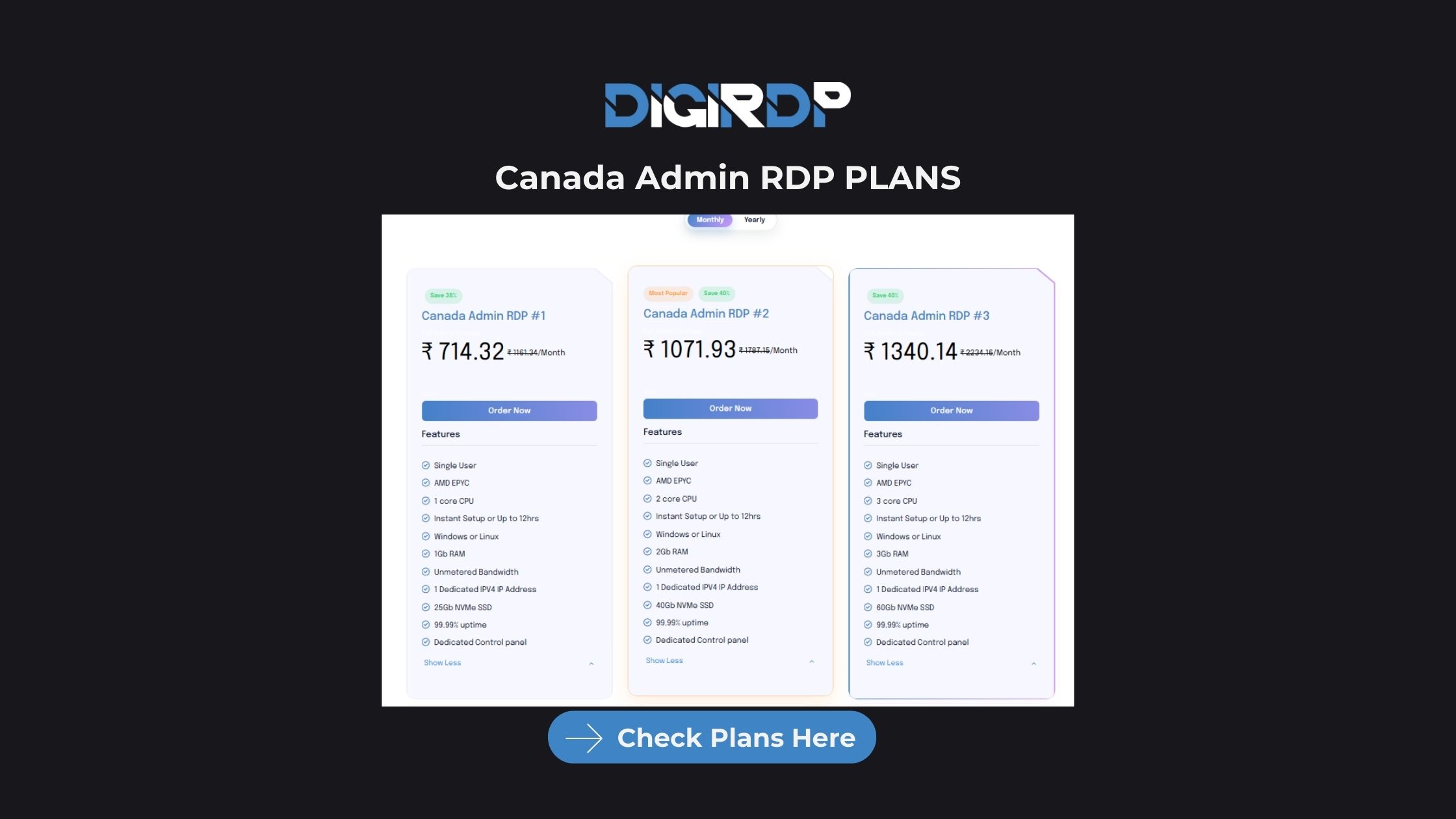
After selecting your preferred Canada RDP configuration, the next step is choosing the right plan based on performance requirements and budget. Canada admin RDP plans typically vary by CPU cores, RAM, storage type, and whether full administrator access is included.
Most users who want stable long-term performance should look for plans that provide dedicated resources, NVMe storage, and guaranteed uptime. Entry-level plans are suitable for basic automation or browsing tasks, while higher-tier configurations support heavy workloads such as trading platforms, multi-tool automation, and business applications.
Providers like DigiRDP offer scalable Canada admin RDP plans designed for different workloads, allowing users to upgrade resources as their needs grow. These plans generally include admin access, dedicated IP addresses, and instant deployment, making them suitable for both individual professionals and business teams.
Setting Up Canada RDP on Windows
Start by locating the Remote Desktop application on your computer. In Windows, click the Start menu and search for Remote Desktop Connection, then open the application. Once it opens, you will see a field asking for the computer or server address.
Enter the IP address of your Canada RDP server in the computer field. After entering the IP, click Connect. A login window will appear where you must enter the username and password provided by your hosting provider. Make sure the credentials are typed correctly to avoid connection errors.
The first time you connect, Windows may show a security certificate warning. This is normal for new connections. Click Yes or Continue to proceed. Within a few seconds, your remote Windows desktop hosted in Canada will open, allowing you to use it just like a local computer.
To improve performance, you can adjust display and resource settings by clicking Show Options in the Remote Desktop window before connecting. This allows you to change screen resolution, enable clipboard sharing, and optimize speed.
Setting Up Canada RDP on Mac
Mac users need the Microsoft Remote Desktop application, which can be downloaded from the Mac App Store. After installing the app, open it and click the Add PC or + button to create a new connection.
Enter the Canada RDP server IP address in the PC name field. Then click Add User Account and input the username and password provided by your RDP host. You can also configure display settings such as full screen mode or resolution before connecting.
Once everything is entered, double-click the saved server profile to connect. The system may prompt you to accept a certificate the first time. Confirm the prompt, and your Canada-based Windows desktop will load within seconds.
Final Setup Notes
After connecting successfully, it’s recommended to change the default password for better security and ensure that automatic updates are enabled. You should also log out properly after each session to maintain system performance. In most cases, the entire setup process on either Windows or Mac takes less than five minutes when all login details are ready.
Security Tips for Using Canada RDP
-
Use strong passwords
-
Enable firewall protection
-
Update system regularly
-
Avoid public network logins
-
Use two-factor authentication
Following these steps helps keep your RDP environment secure.
Canada RDP Pricing in 2026
Canada RDP pricing varies based on the server resources, configuration level, and type of hosting environment you choose. Entry-level options are generally more affordable and suitable for light tasks or short-term use, while mid-range VPS-based RDP solutions offer better performance and stability for ongoing workloads. Higher-tier plans are designed for users who require consistent uptime, stronger hardware, and the ability to run multiple applications without interruptions.
When selecting a Canada RDP plan, it is important to consider not only the cost but also the reliability of the infrastructure, available resources, and security features. Balancing pricing with performance and long-term scalability ensures that the remote desktop environment remains stable and suitable for your professional or business needs.
Final Verdict – Which Canada RDP Should You Choose?
The right Canada RDP depends on your workload and performance needs. Cheap plans work for testing and light tasks, while premium and VPS-based RDP servers provide better stability for long-term use.
DigiRDP provides scalable and secure Canada RDP hosting designed for businesses, developers, and automation users who need consistent remote access.
Ready to deploy your own server?
Full admin access, DDoS protection and instant setup — pick a plan sized to your workload.
Explore Windows RDP plans