



On this page
A cPanel VPS is suitable when your accounts, PHP workers, database activity and mail queues fit predictably within the virtual server allocation. Choose a dedicated server when sustained resource contention, storage I/O pressure or workload isolation—not merely visitor count—limits reliable operation.
This guide compares the two server types, identifies the measurements to review in WHM, explains cPanel licensing and installation requirements, and helps you match measured demand to a dedicated configuration.
Compare cPanel VPS and Dedicated Server Resources
A VPS divides physical-server capacity into virtual allocations, while a dedicated server gives your cPanel and WHM installation an entire physical machine. The important question is whether CPU time, memory, disk activity or administrative isolation is the current constraint. You can inspect Cloud VPS plans while deciding whether virtualised capacity remains appropriate.
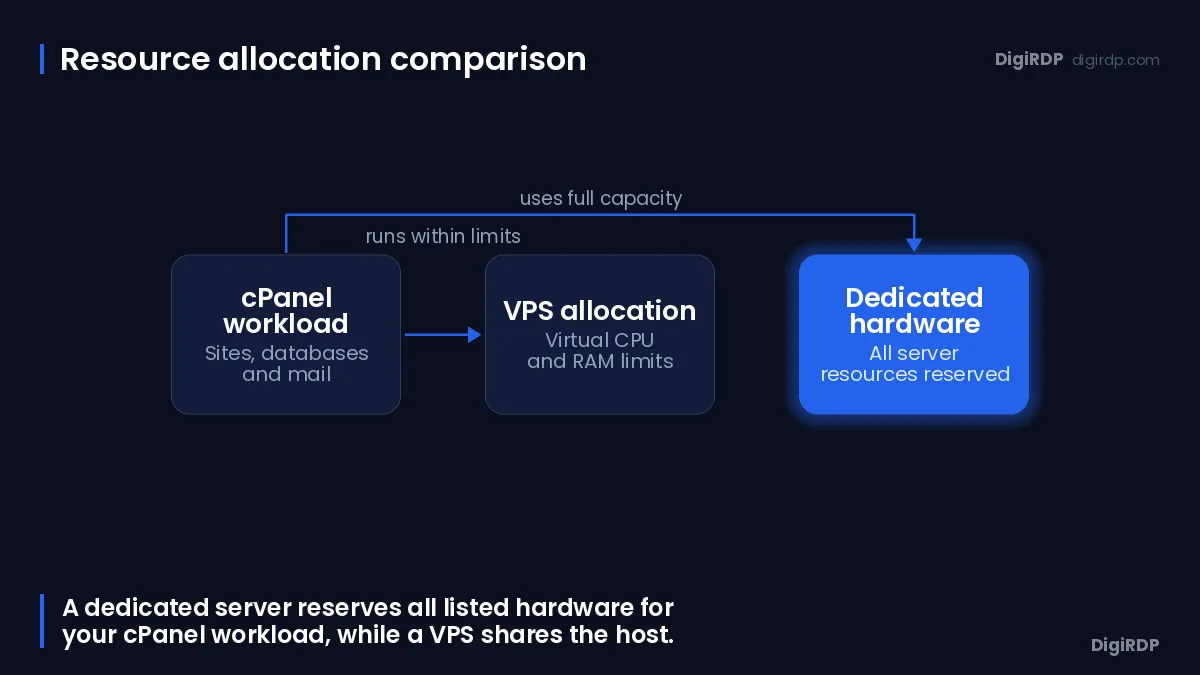
The table below compares the resource and administration characteristics that matter for cPanel workloads.
| Criterion | cPanel VPS | Dedicated server |
|---|---|---|
| CPU and RAM allocation | Virtual CPU and memory allocation. | Physical-server CPU and memory available to the installation. |
| Storage I/O neighbours | Storage activity may share an underlying platform with other virtual machines. | Storage devices are assigned to the server. |
| Isolation boundary | Virtual-machine boundary. | Physical-machine boundary. |
| Scaling path | Move to a larger virtual allocation when available. | Choose a server with more CPU cores, RAM or storage capacity. |
| Root-level administration | Requires root-level control for cPanel installation and administration. | Requires root-level control for cPanel installation and administration. |
| Suitable cPanel workload signal | Measured usage remains comfortably within allocated CPU, RAM and storage performance. | Recurring resource pressure, storage I/O pressure or a need for physical-server isolation. |
What a cPanel VPS Provides
A VPS can be a practical fit when resource use is predictable and the virtual allocation leaves operating headroom during busy periods, backups and scheduled tasks. cPanel lists KVM as a supported virtual environment with no additional cPanel restrictions, making it a documented virtualisation option for a cPanel VPS.
What a Dedicated Server Provides
A dedicated server places the cPanel stack on one physical machine. This can be appropriate when concurrent PHP activity, database work, backup writing and email processing repeatedly compete for the same constrained resources on a smaller server.
What Isolation Does and Does Not Solve
Physical-server isolation does not correct inefficient PHP code, oversized database queries, an overgrown mail queue or overlapping backup schedules. Measure the pressure first, then decide whether configuration work, more virtual capacity or a dedicated server addresses the actual bottleneck.
Assess the Workload Before Changing Server Type
Review measurements over normal and peak periods rather than using a generic visitor threshold. Record account growth, CPU and memory pressure, PHP concurrency, database response during busy work, storage activity, mailbox consumption, queue depth, backup duration and cron overlap.
Account Count and Package Limits
Account count is a planning input, not a server-size formula. cPanel account packages can define limits for disk space, bandwidth, FTP accounts, email accounts, mailbox quotas, mailing lists, SQL databases, subdomains, aliases and addon domains.
Review the largest accounts separately from the total count. cPanel disk quotas do not limit changes to MySQL or PostgreSQL database usage, so database capacity must be assessed separately from the account quota.
PHP Workers and Memory Pressure
PHP-FPM uses pools of workers to handle PHP requests, and the documented default pool maximum is five child processes unless the administrator changes the configuration. Compare active workers, memory consumption and request backlog at the times users report slower responses.
cPanel recommends at least 2 GB of RAM or 30 MB of RAM per domain before enabling Apache PHP-FPM, because using it below that level can cause severe performance issues. This is an enablement guideline, not a capacity estimate for a busy multi-account server.
Database I/O, Backups and Cron Overlap
Look for a repeatable pattern: database work slows while backups write, or scheduled tasks begin while PHP demand is already high. A backup can fail when an account is near or over its disk quota because the process may be unable to write required files such as a database lock file.
Stagger backups and heavy scheduled tasks before assuming a larger server is required. If pressure persists after those changes, a server with more memory, CPU capacity or faster storage may be the relevant next step.
Mailboxes, Queues and File Density
A mailbox with a full quota cannot receive mail, so email-heavy workloads need mailbox and disk-capacity planning. cPanel’s Mail Queue Manager can view, delete and retry delivery of messages that remain queued on the mail server.
High email volume can also create large file counts. cPanel documents that additional partitions can improve performance for some servers with high email volume because the operating system can access only a limited number of files per partition.
Use the Bottleneck to Choose VPS or Dedicated
There is no universal winner. Choose the architecture that removes the measured constraint while leaving room for ordinary growth, maintenance activity and recovery work. For a broader architecture discussion, see shared hosting versus VPS.
Choose a cPanel VPS If
- CPU, RAM and storage measurements remain within the current virtual allocation during peak demand.
- Short-lived pressure is linked to a fixable schedule, such as overlapping backups or cron jobs.
- Your expected growth can be handled by a larger virtual allocation without requiring physical-server isolation.
- You have root-level control and use a cPanel-supported virtual environment.
Choose a Dedicated Server If
- CPU, memory or storage I/O pressure recurs after configuration and scheduling work.
- Database activity, backups, PHP workers and mail processing contend during routine peak periods.
- You need the isolation boundary of a physical server for the cPanel workload.
- Your measured storage, memory and CPU requirements exceed the virtual configuration you consider appropriate.
Investigate Configuration Before Migrating
Check account quotas, PHP-FPM pool settings, database behaviour, backup timing, cron timing and mail queues before migrating. The minimum installation requirements are not sufficient to predict performance under heavy load, so technical install eligibility should not be treated as a sizing result.
Plan cPanel Licensing and Server Administration
Moving from a VPS to a dedicated server changes the server on which cPanel runs; it does not remove licensing or administration responsibilities. Plan these requirements before ordering so that the operating system and access model support the intended deployment. For a related setup reference, use DigiRDP knowledge base.
Licence and IPv4 Requirements
cPanel & WHM requires a separate paid licence for each server on which it runs, whether that server is a VPS or a dedicated server. A cPanel licence cannot be transferred across multiple servers, and a cPanel server must have at least one IPv4 address rather than being IPv6-only.
Operating System and Virtualisation Compatibility
cPanel & WHM supports installation on AlmaLinux, CloudLinux, Rocky Linux and Ubuntu, subject to the requirements for the selected operating system. The current cPanel Ubuntu installation documentation lists Ubuntu 24.04 LTS as an installable version and states that cPanel supports LTS versions of Ubuntu.
Root Access and Installation Readiness
cPanel & WHM requires root access for installation, so the administrator of a cPanel VPS or dedicated server must have root-level control or obtain installation assistance from the server provider. cPanel recommends installation on a freshly installed operating system and warns that pre-installing services can create compatibility problems or cause installation failure.
The official installation command changes to /home, downloads the latest installer and runs it.
cd /home && curl -o latest -L https://securedownloads.cpanel.net/latest && sh latest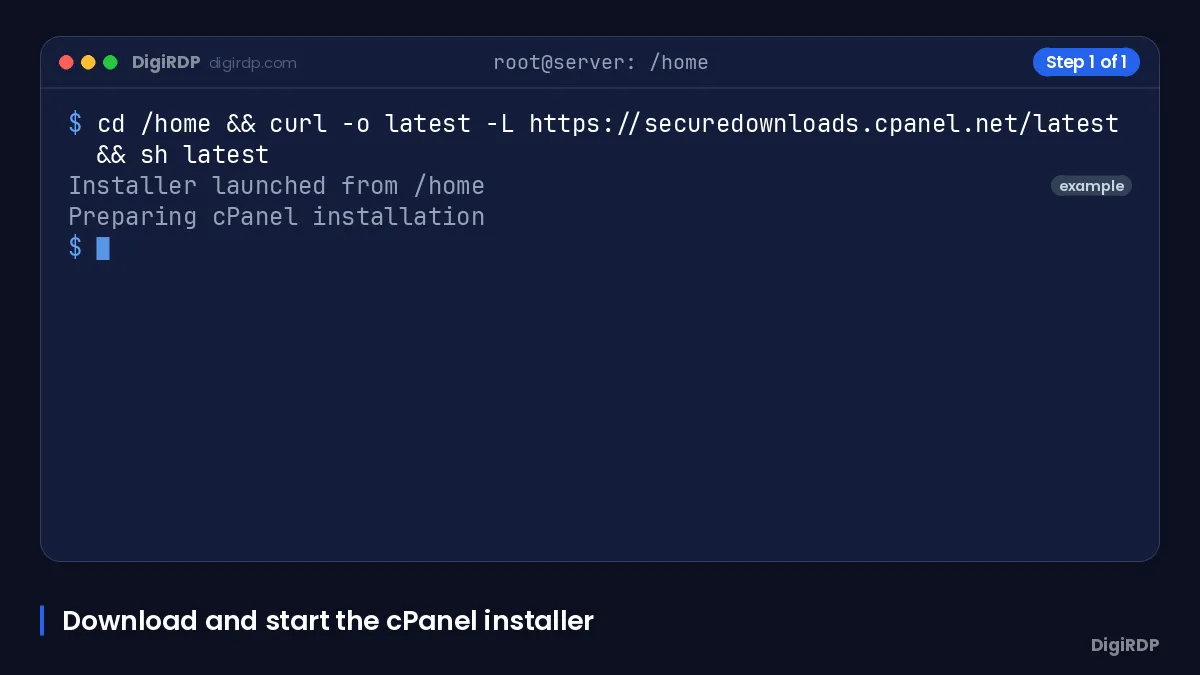
Operational Tasks After Deployment
After deployment, you remain responsible for operating-system updates, cPanel updates, account provisioning, access controls, backups, restore testing, capacity review, mail-queue review and incident response. Record a baseline after the service is stable so later capacity decisions are based on comparable measurements.
Match Dedicated Capacity to Your cPanel Requirements
Match measured resource pressure, storage needs and deployment location to an available configuration rather than selecting by account count alone. The table below matches common cPanel requirements to DigiRDP dedicated plans.
| Requirement | Plan | vCPU | RAM | Storage | Location | Setup time | Price (USD, live) |
|---|---|---|---|---|---|---|---|
| Single busy site or app | USA dedicated #3 | Logical cores: 8 @ 2.5Ghz | 16 GB DDR3 | Disk: 1TB HDD | Buffalo, New York | Setup time 24hr to upto 3days | $62.50/mo, billed annually ($750.00) |
| Several sites, databases and backups | Indian Dedicated #1 | 4 vCPU (8 vCPU) | 32 GB | 1TB HDD (upto 4) or SSD | Pune, MH / Mumbai, MH | Setup time 24hr to upto 3days | $158.33/mo, billed every 6 months ($950.00) |
| High-traffic or virtualised workloads | GT-710 Ryzen 9 Server | 12 vCPU (@3.80GHz) | 64 GB DDR4 | 1 TB NVMe | Europe | Setup time- 24 hours minimum | $199.00/mo |
| Storage-heavy or many tenants | Ryzen Master | Logical cores: 32@ 3.40 GHz | 128 GB DDR4 ECC | 2 x 1TB NVMe SSD | Germany | Setup time 24hr to upto 3days | $299.00/mo |
Capacity Planning Without Generic Traffic Thresholds
Separate capacity into CPU concurrency, RAM working set, database and filesystem I/O, usable storage, backup headroom and mail-file growth. A server supporting a small number of resource-intensive accounts can require more capacity than one hosting many low-activity accounts.
Review the relevant plan page for current configuration, pricing and ordering details.
Location and Operational Access
Choose a location based on the operational geography of administrators and the audience served by the websites, as well as data-handling and maintenance requirements. You can review DigiRDP data centre locations options when location affects the selection.
Review Available Dedicated Configurations
Compare the available CPU, RAM, storage, operating-system and IP options after you identify the bottleneck. You can review our dedicated servers for the current dedicated configurations. Dedicated deployment times vary by plan.
If your workload does not need a dedicated configuration, you can explore Web hosting guide for other hosting arrangements.
Frequently Asked Questions
What Is the Difference Between a cPanel VPS and a Dedicated Server?
A cPanel VPS runs within a virtual-machine allocation, while a dedicated server uses an entire physical machine for the installation. Choose between them using measured CPU, memory, storage I/O and isolation requirements rather than account count alone.
When Should a cPanel Website Move From a VPS to a Dedicated Server?
Consider a dedicated server when recurring CPU, RAM or storage I/O pressure continues after you review PHP workers, database activity, backup timing, cron overlap and mail queues. A single busy website can justify the move if it is the source of sustained resource pressure.
How Do Account Limits Affect cPanel VPS and Dedicated Server Choices?
Account packages can limit items such as disk space, mailboxes and SQL databases, but those limits do not directly determine server capacity. Review the activity and storage use of the largest accounts, including database growth, PHP concurrency and email-file density.
Which cPanel Licence Is Required for a Dedicated Server?
You need a separate paid cPanel & WHM licence for each server on which it runs. The dedicated server must also have at least one IPv4 address and root-level access for installation.
Does a Dedicated Server Improve PHP, Database and Email Workload Performance?
A dedicated server can provide a physical-server isolation boundary and may be appropriate when measured contention is sustained. It does not automatically resolve inefficient application behaviour, unsuitable PHP-FPM settings, a full mailbox quota, database issues or poorly timed backups.
Sources
- System Requirements for Ubuntu | cPanel & WHM Documentation — docs.cpanel.net
- How to Purchase a cPanel License | cPanel & WHM Documentation — docs.cpanel.net
- System Requirements | cPanel & WHM Documentation — docs.cpanel.net
- Installation | cPanel & WHM Documentation — docs.cpanel.net
- Modify an Account | cPanel & WHM Documentation — docs.cpanel.net
- Quota Modification | cPanel & WHM Documentation — docs.cpanel.net
- Configuration Values of PHP-FPM | cPanel & WHM Documentation — docs.cpanel.net
- Mail Queue Manager | cPanel & WHM Documentation — docs.cpanel.net
Ready to deploy your own server?
Full admin access, DDoS protection and instant setup — pick a plan sized to your workload.
Explore Dedicated Servers